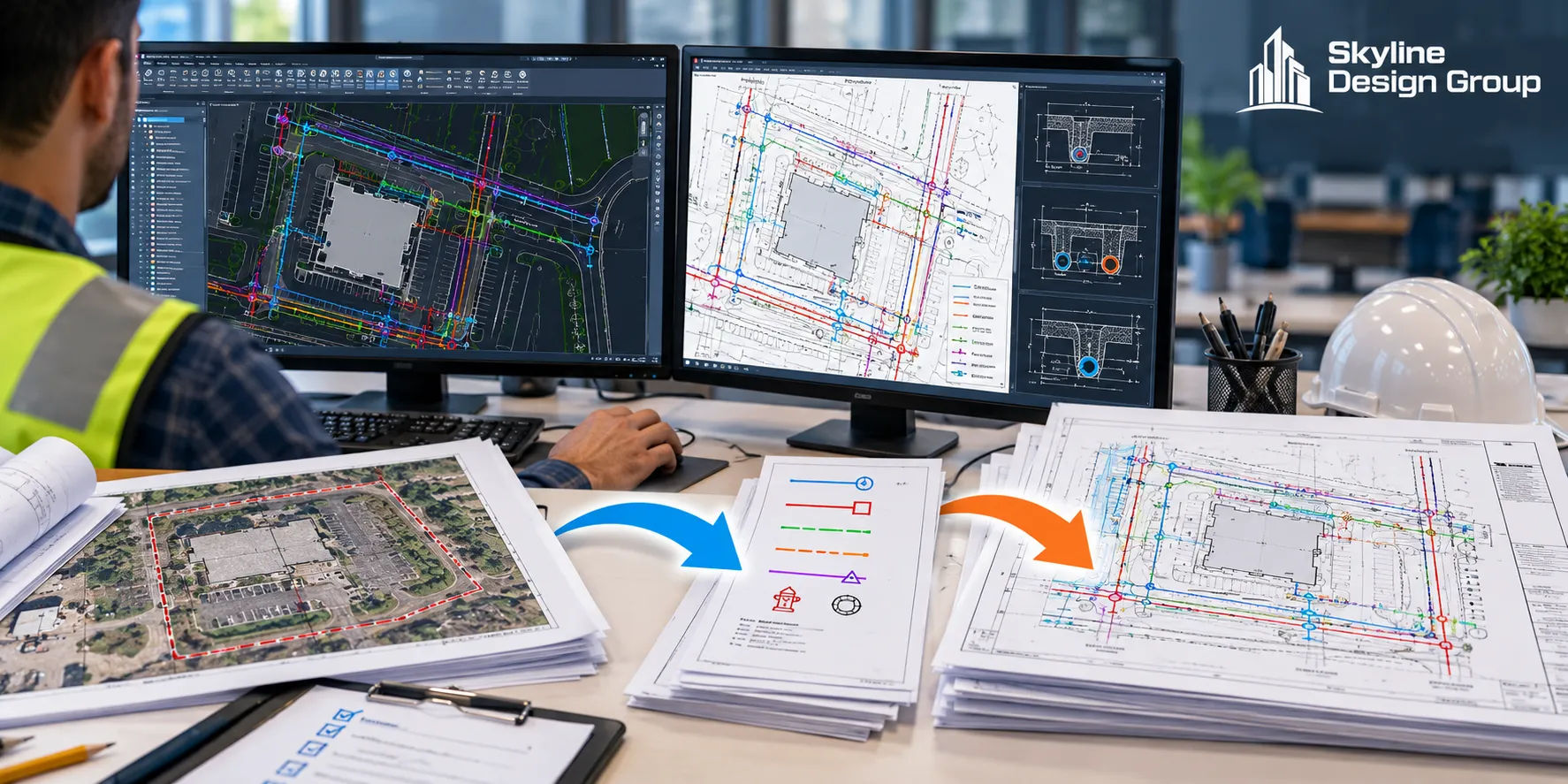
Utility plan production in Civil 3D is fundamentally a translation process, not a design process: a site engineer’s road or site design gets turned into a utility-focused plan set that highlights conflicts and supports coordination with utility agencies and companies. Knowing exactly what has to go in, and what should come back out, is what keeps that translation from losing anything along the way.
A site engineer hands off current design files, right-of-way ownership data, and the utility sections of milestone reports. What comes back is a utility-specific plan set — cross-referenced to the original design so it stays locked to the source — with conflicts labeled by station and offset, and a published PDF ready for a coordination meeting.
Who this is for
Civil engineers who outsource or route Civil 3D utility plan production and want a clear picture of what they need to supply and what a complete deliverable package actually includes.
What goes in: the inputs a production team actually needs
A real DOT utility-plan workflow names the specific inputs required before utility plan production can start: the current road or site design plan files, right-of-way ownership information, and the utility-specific sections of whatever milestone design reports exist, with the most recent version usually sufficient (Montana Department of Transportation, 2026). Depending on the project, other functional group plans — signing, electrical, traffic, safety — may also be needed if they exist and affect what’s shown. The production team also needs judgment calls from the engineer on which supplementary sheets (title/notes, control, typicals, details) actually apply to this specific project.
Why this matters: avoiding a plan that silently drifts from the design
How the design stays locked to the source
One detail matters more than it sounds like: a credible utility plan process doesn’t redraw the design from scratch. Instead, the design files are brought in as external references (xrefs) rather than copied and edited directly, which keeps the utility plan’s base content locked to and automatically updated from the original design (MDT, 2026). This is the mechanism that prevents a utility plan from silently drifting out of sync with design revisions — if the source design changes, the referenced content updates too, rather than requiring someone to manually re-apply every change to a separate utility-plan copy. On a project with several design revisions between milestones, this difference alone can be the gap between a utility plan that’s reliably current and one that’s quietly working from an outdated version of the design without anyone noticing until a conflict shows up where it shouldn’t.
What comes back: the deliverable package
| Deliverable | What it contains |
|---|---|
| Utility plan PDF | Published sheet set with utility layers color-coded, conflicts labeled by station/offset, lateral conflicts tabulated on plan-and-profile sheets |
| Cross-section PDF | Current cross sections from the design directory, where the project includes them |
| Underlying pipe network data | Parts list-based network with interference checking run, display styles set, and labels/tables generated (per general Civil 3D pipe network workflow, Autodesk) |
Why conflicts get labeled, not just color-coded
The labeling convention is specific and intentional: conflicts are marked with station and offset labels rather than relying on color alone to communicate utility type or severity (MDT, 2026). Color-coding is useful for quick visual scanning, but station and offset labels are what actually let a utility company or reviewer locate a specific conflict on the ground, independent of how a given viewer’s screen or printer renders color. A deliverable that only color-codes conflicts without labeling them precisely is missing the exact part that makes the plan actually usable, in practice, at a real coordination meeting with utility agencies and companies in the room.
What a complete handoff package looks like in practice
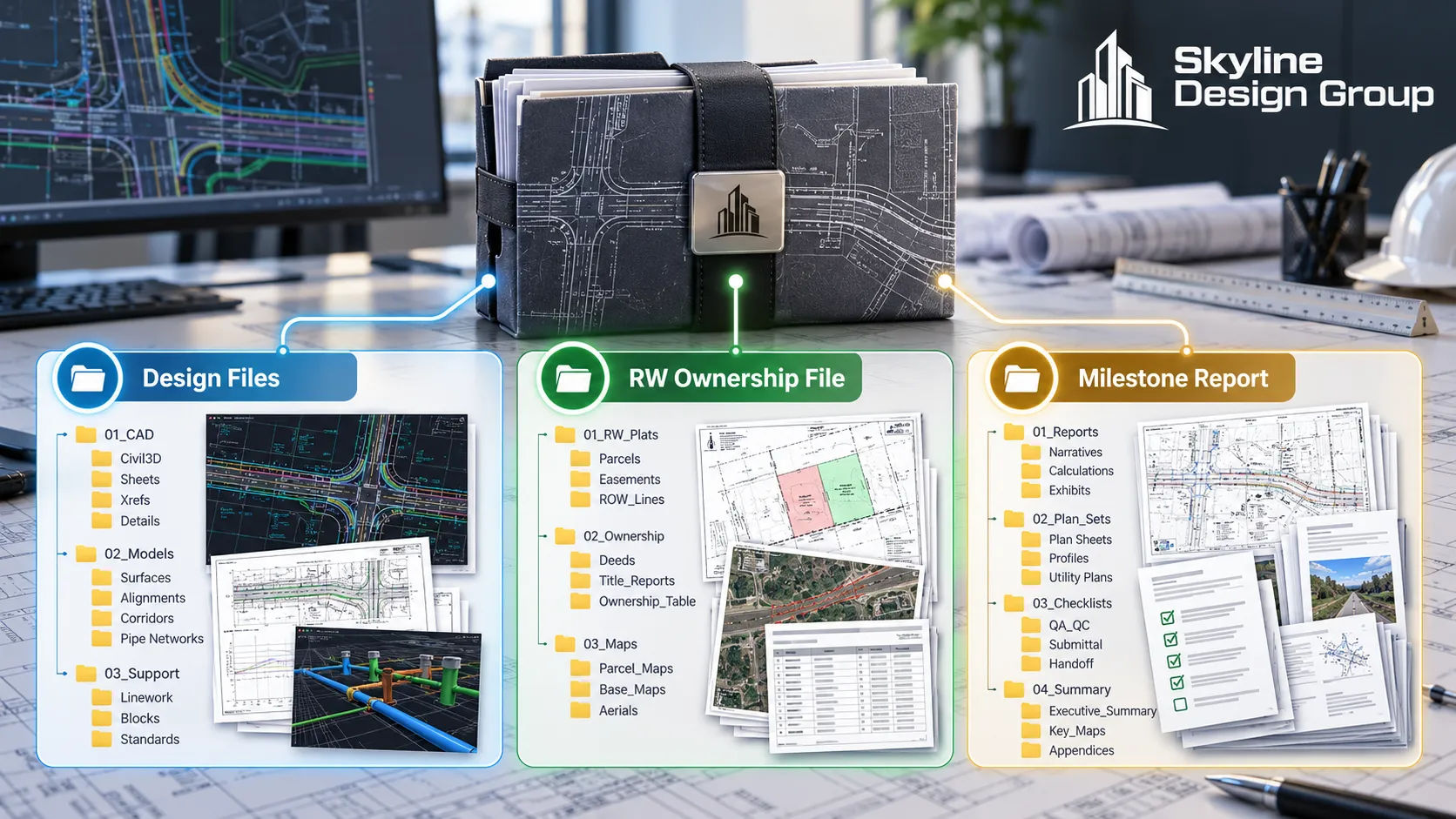
In practice, a complete handoff is less about volume and more about making sure nothing has to be guessed at. The production team shouldn’t have to assume which milestone report is current, whether right-of-way ownership has changed since the last design update, or whether a signing or electrical plan exists that would affect what’s shown on the utility sheets. Confirming these explicitly before work starts avoids the same kind of rework that an incomplete base-file handoff causes in any other drafting discipline — the fix is the same regardless of whether the deliverable is a utility plan, a structural set, or an architectural drawing: name what you’re sending and flag what you’re not sending, rather than letting the production team guess.
Skyline Design Group produces Civil 3D utility plans the same way — xref-linked to your current design so nothing drifts out of sync, with conflicts labeled by station and offset for real usability at a coordination meeting. If you have a utility plan package to produce or review, send us a scope: share the current design files and we’ll tell you plainly what we’d need to produce a complete set.