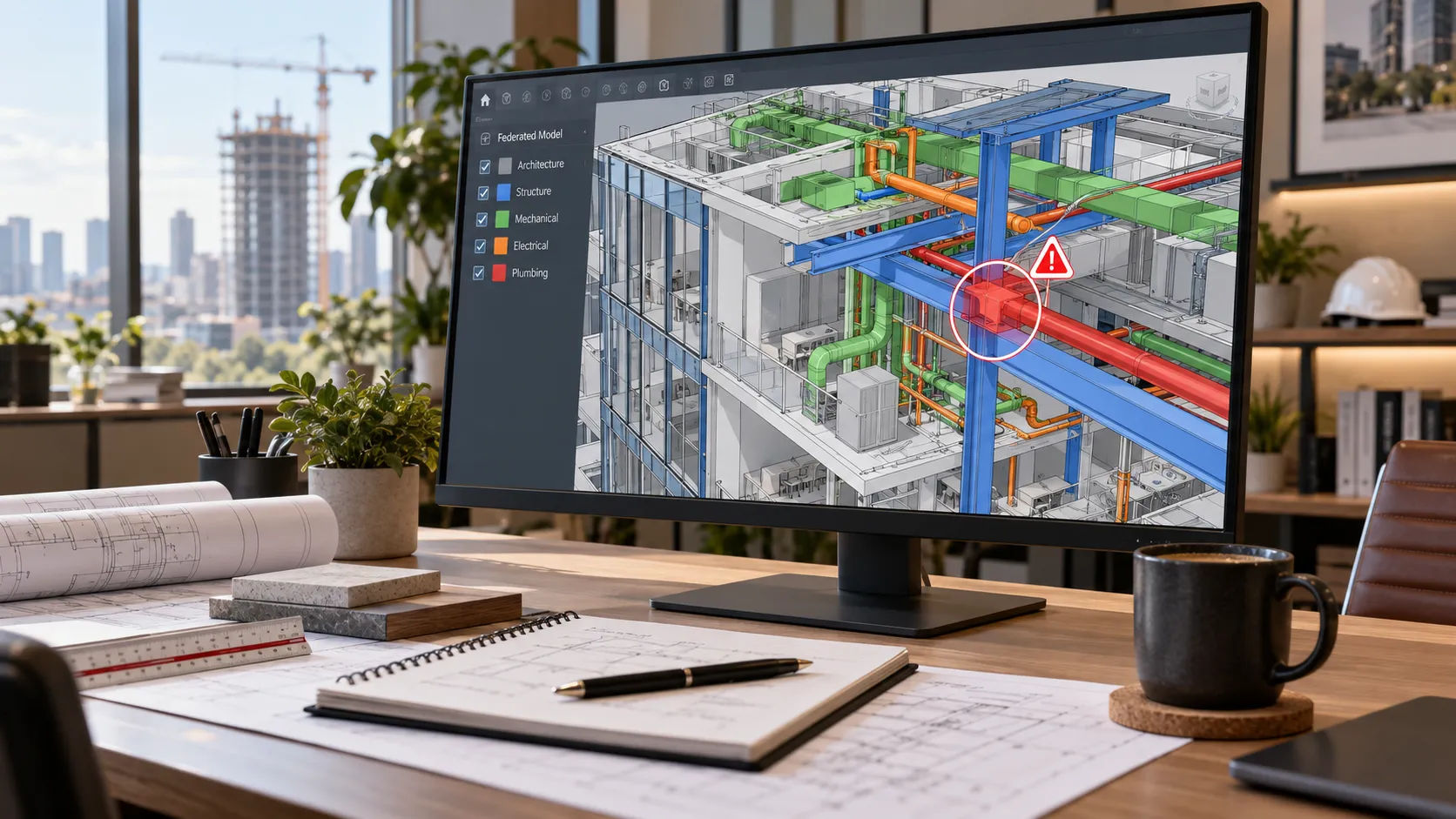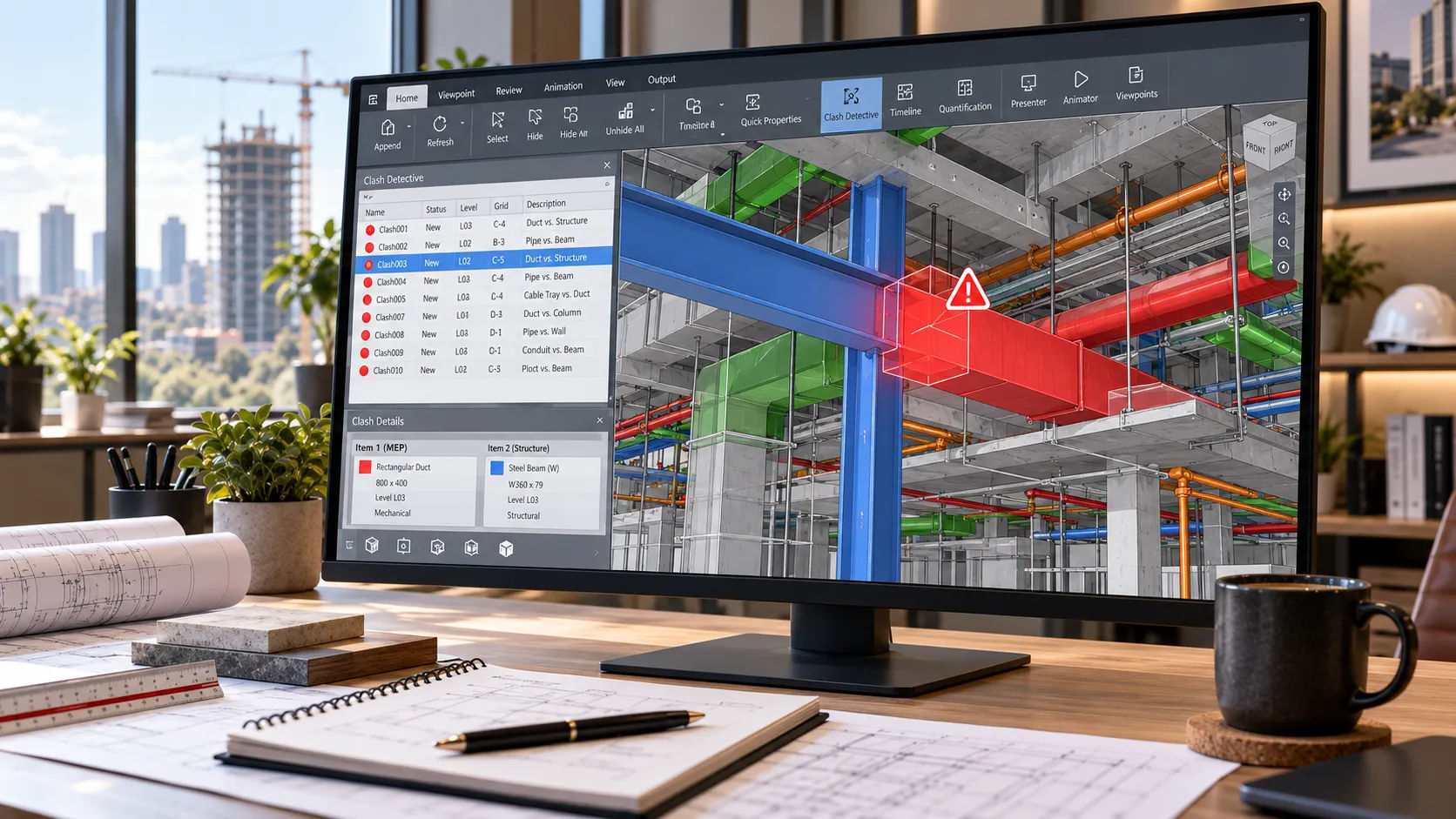
“Soft clash” has two meanings, and both are in use.
In Autodesk’s Navisworks help, it means a potential conflict between moving components. In everyday coordination talk, and on Skyline’s page, it means a clearance problem: something inside the buffer another element needs. Same words, different tests, so check which one your scope is buying.
The short answer: a hard clash is two elements occupying the same space. A clearance clash, often called a soft clash, is an element inside another’s required buffer. Navisworks tests both. Prioritize by constructability risk, give each issue one owner, and track it to re-test.
What is the difference between hard and soft clashes?
Start with what Navisworks actually offers. The Clash Detective test types, per Autodesk’s help, are:
- Hard: objects that physically overlap.
- Hard (Conservative): the same, with a stricter intersection method that can flag objects even when the geometry triangles do not strictly intersect.
- Clearance: objects that come closer than a distance you set. Autodesk notes this type also finds hard clashes, and gives insulation around pipes as a typical use.
- Duplicates: identical objects in the same place, useful for catching elements modeled twice.
There is also a tolerance setting, which Autodesk describes as an acceptable gap distance: conflicts below it are ignored. And tests can be linked to TimeLiner schedules, which is how sequencing conflicts, the “workflow clashes” Skyline’s page mentions, get tested.
Here is how the common terms map.
| Term | What it means | Navisworks test | Example |
|---|---|---|---|
| Hard clash | Two elements occupy the same space | Hard | Duct passes through a beam |
| Clearance clash (often “soft”) | Element inside a required buffer | Clearance | Sprinkler main too close to a cable tray |
| Access clash | Space needed for service or removal is blocked | Clearance | Piping in front of an air handler’s service side |
| Duplicate | Same element present twice | Duplicates | A linked model loaded twice |
| Soft clash (Autodesk’s meaning) | Moving components may collide | Clash test linked to object animation | A moving equipment path against a built element |
| Workflow clash | Sequence conflict | Test linked to a TimeLiner schedule | Ceiling closed before duct is hung |
The first row is the cleanest. The rest need a sentence in the scope.
How do you set up a clash test that returns useful results?
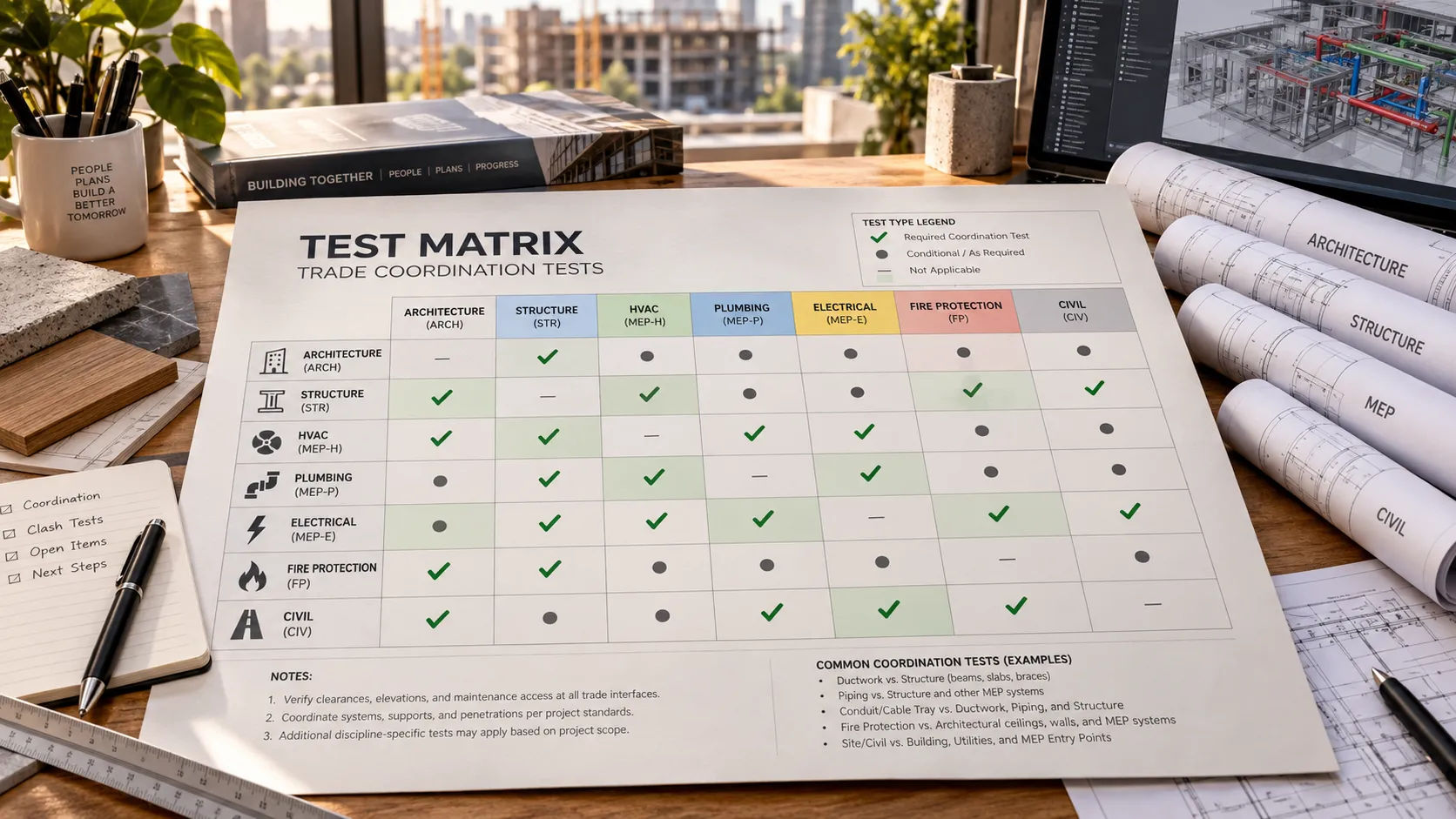
Do not run everything against everything. Skyline’s Navisworks clash detection page describes configuring focused test sets by system, level, zone and tolerance, and building a project-specific test matrix: a table of what gets tested against what.
A workable matrix has three parts.
- Pairs. Ductwork against structure. Piping against structure. Sprinkler mains against cable tray. Each pair is a test.
- Tolerance by pair. A pair that needs a service buffer gets a clearance test at that distance. A pair that only cannot collide gets a hard test with a small tolerance to skip trivial overlaps.
- Scope by zone and level. Testing one floor at a time keeps each result set short enough to read.
And a model has to be fit to test. Skyline’s process begins with model intake, which validates coordinates and file health. A shared origin that is off by a few feet will produce a report full of false results.
What does a useful clash report contain?
Less than the software will let you export. An AUGI article on clash reports (no author or date on the page) suggests a short set of fields: a summary, the clash point, the date found, comments, an image and the grid location, plus assignments if you use them. It warns against ticking every box and producing a report with too much information. It also recommends HTML tabular reports paired with exported viewpoints, so people who do not have Navisworks can still open the results.
On status, the same article suggests tracking only New and Active clashes in reports, and defining the statuses yourself: Active for open issues, Reviewed for duplicates and Approved for solutions agreed in the field.
Skyline’s page lists what its own package includes: a prioritized issue register organized by trade, level and zone, saved viewpoints with visual markups, reports in HTML, PDF or spreadsheet form, weekly coordination and model-health summaries, and re-test logs.
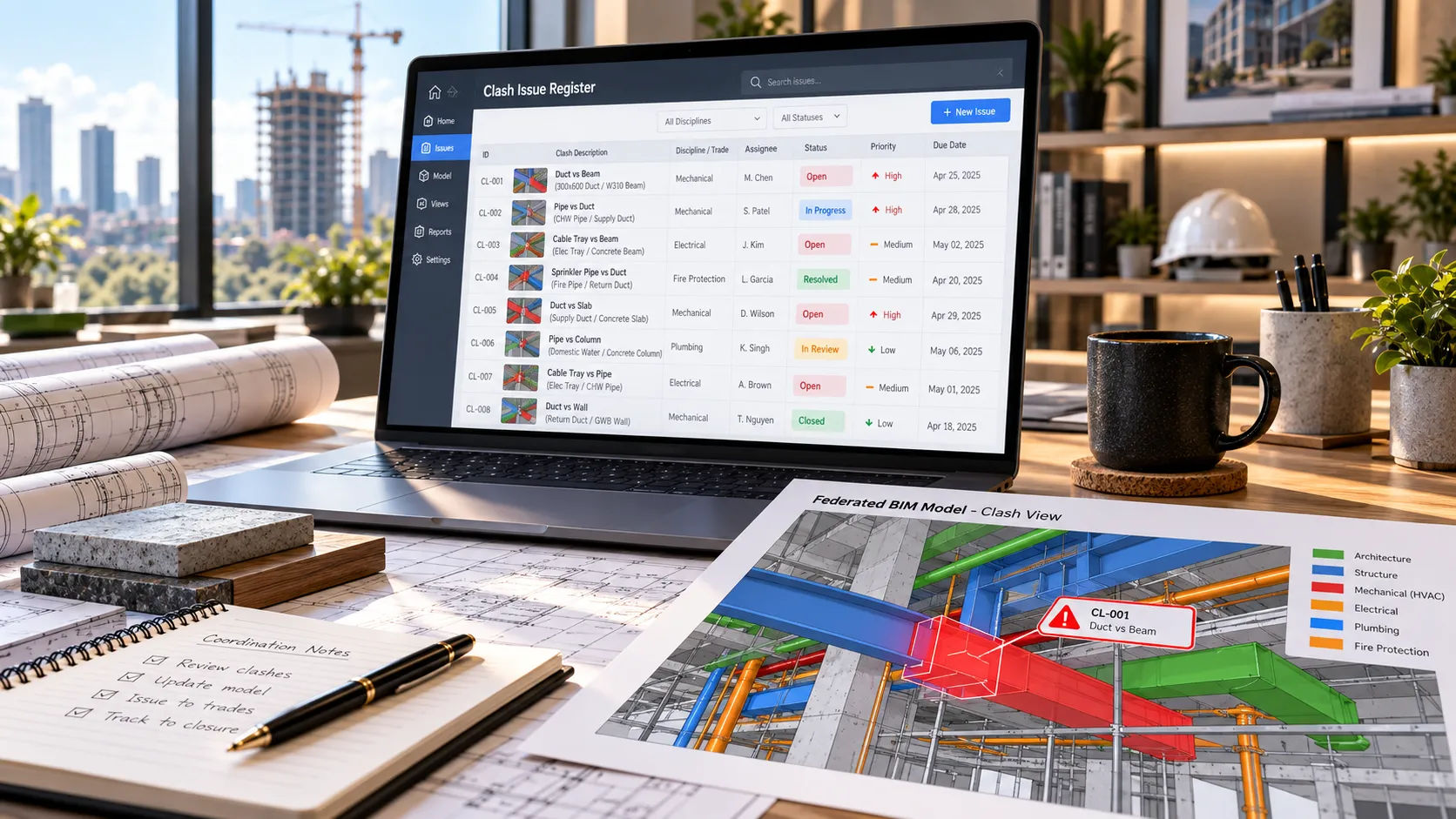
Example (illustrative). The rows below are invented to show the format. Every ID, location, owner and status is made up.
| ID | Location | Test | Type | Owner | Status and action |
|---|---|---|---|---|---|
| CL-001 | L2, grid C-4 | Ductwork vs structure | Hard | Mechanical | Active. Sleeve or reroute; owner to propose |
| CL-002 | L2, corridor between B and D | Sprinkler main vs cable tray | Clearance | Fire protection | New. Confirm required buffer |
| CL-003 | L1, mechanical room | Piping vs air handler service side | Clearance (access) | Mechanical | Active. Move piping; re-test |
| CL-004 | L3, grid E-2 | Plumbing riser vs beam | Hard | Plumbing | Resolved. Pending re-test |
| CL-005 | L2, whole floor | Duct vs duct | Duplicate | Coordinator | Reviewed. Linked model loaded twice; closed |
| CL-006 | Roof | Rooftop unit curb vs framing | Hard | Structural | Approved. Field-agreed detail |
A companion file, a sample clash issue register, carries the same format with twelve illustrative rows, status lists and a summary tab that counts issues by status, owner and risk.
How should you triage the results?
Skyline’s page describes filtering duplicates and prioritizing issues by constructability risk. What counts as risk is your call, but this order is a reasonable start. It is general practice, not a rule.
- Issues on anything already fabricated or ordered. The cost of finding out later is highest.
- Openings and penetrations through structure. These need an engineer’s eyes, not just a trade’s.
- Access and clearance to equipment. A unit that cannot be serviced is a failure even if nothing “hits.”
- Ceiling congestion. Many small conflicts add up to one big one.
- Duplicates and false results. Mark them reviewed and take them out of the count.
Then give each issue one owner and a due date. A report that shows forty open issues with no owners is not yet a coordination tool.
What can go wrong with clash detection?
A clean report is not a clean building. It shows that the pairs you tested passed. Untested pairs are not covered, which is why the test matrix is worth reading.
Tolerance set too tight, or too loose. Too tight and you drown in trivial overlaps. Too loose and real conflicts vanish, because Autodesk’s tolerance ignores anything under the value you set.
Duplicates from linked models. The same file loaded twice can flood the results. Run a duplicates test first, or check the model list.
Stale models. A report is only as current as the files it was run on. Put the model date on every report.
Nobody with authority. Finding a conflict is not resolving it. The trade that owns the element proposes the fix, and the person your contract names approves it. Design changes, engineering decisions and seals stay with the project’s licensed architects and engineers. Skyline’s pages say the same about its own role.
Send the models, get the register
If you would like to see a register built from your own models, you can request a scope review: send one federated model set or a short project description, your standards and a note on what you would keep in your own office. Skyline runs the tests, triages the results and tracks each issue to re-test, while design decisions, engineering calls and seals stay with your licensed team. For the wider scope, see BIM coordination services for general contractors and Skyline’s Revit BIM coordination page. For the line between production and professional responsibility, see what to hand off and what to keep.
Sources
- Select Tab: Clash Detective (2026) and Select Clash Test Options (2019), Autodesk Navisworks help
- What’s in a Report?, AUGI (no author or date shown)
- Skyline Design Group: Navisworks clash detection and Revit BIM coordination. Checked 2026-09-21.