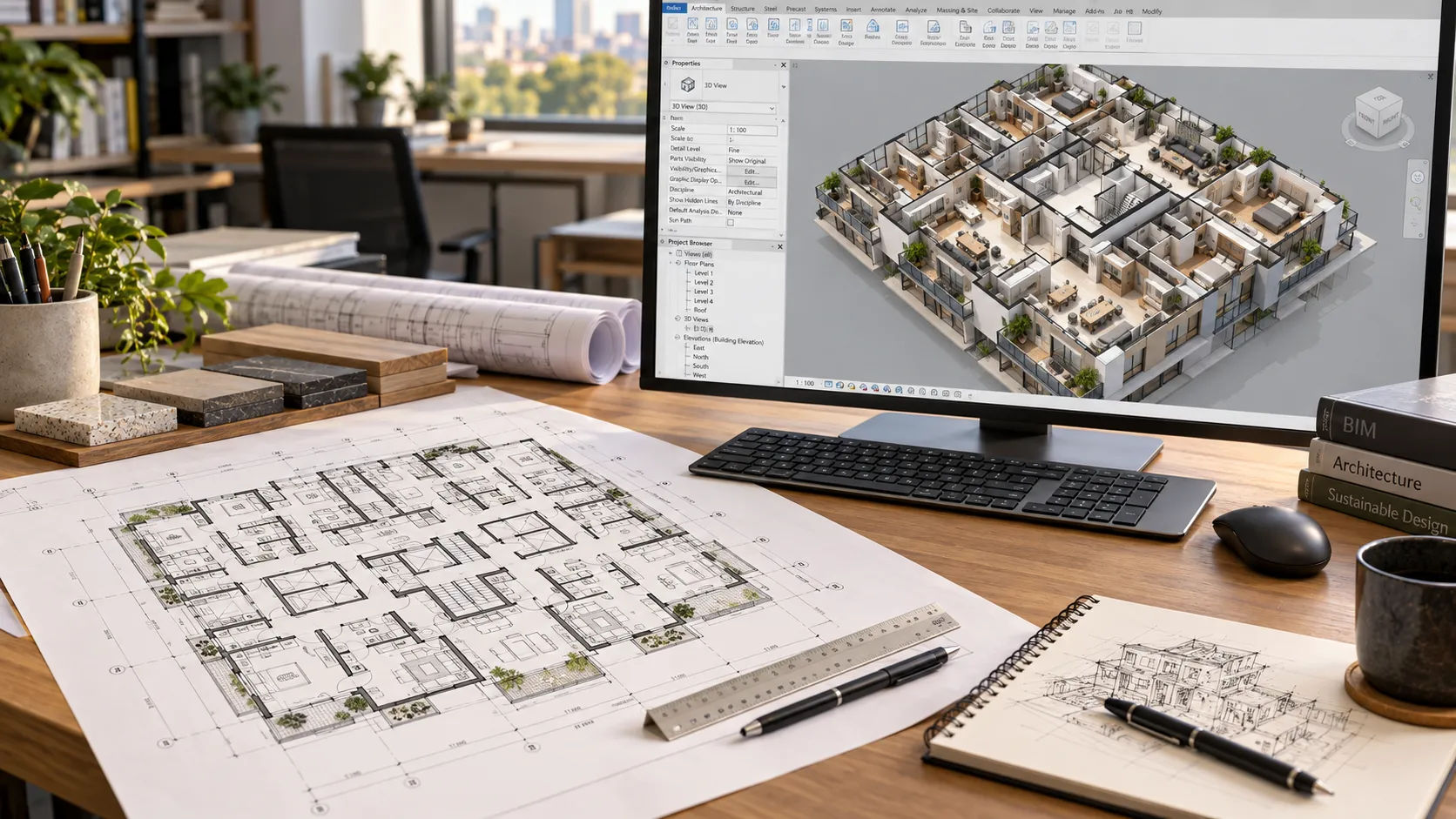
An architect quoted by Stateline in July 2026 said parking has to be solved early to know whether a project is feasible. On a multifamily site, the footprint, unit count and parking layout all push on each other.
The short answer: a useful Civil 3D site plan and parking study shows footprints, parking layout and counts against the local requirement, plus grading, drainage and utilities, on a surveyed base. Ask for options with counts and assumptions, in editable files. The engineer of record owns the design and seal; a drafting partner produces the drawings.
This page is for multifamily and build-to-rent developers, and for the architects and civil teams who brief a drafting partner on site work. It covers what a site plan carries, how to check parking counts, what to send and what to ask for back.
What do a site plan and a parking study cover?
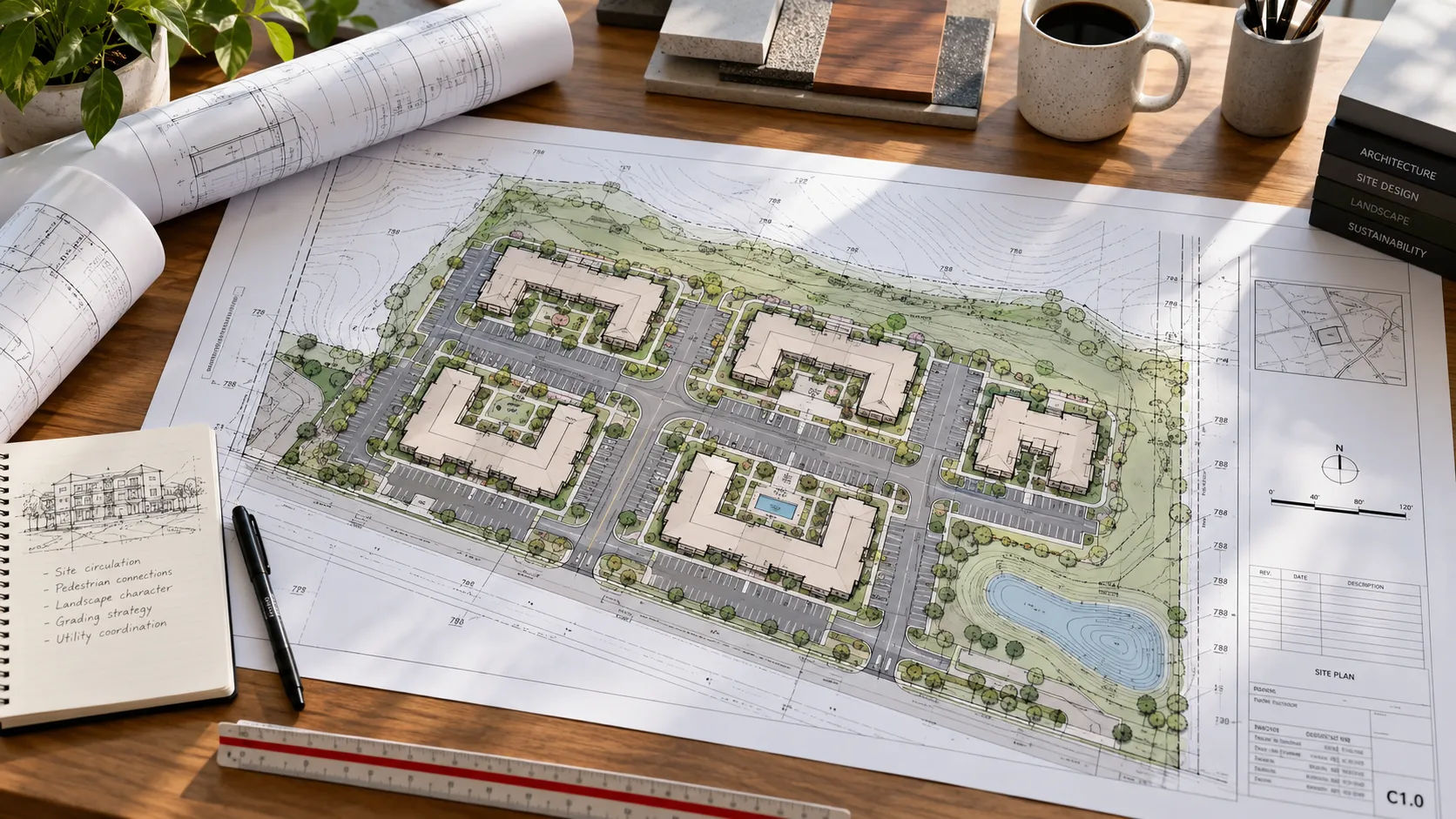
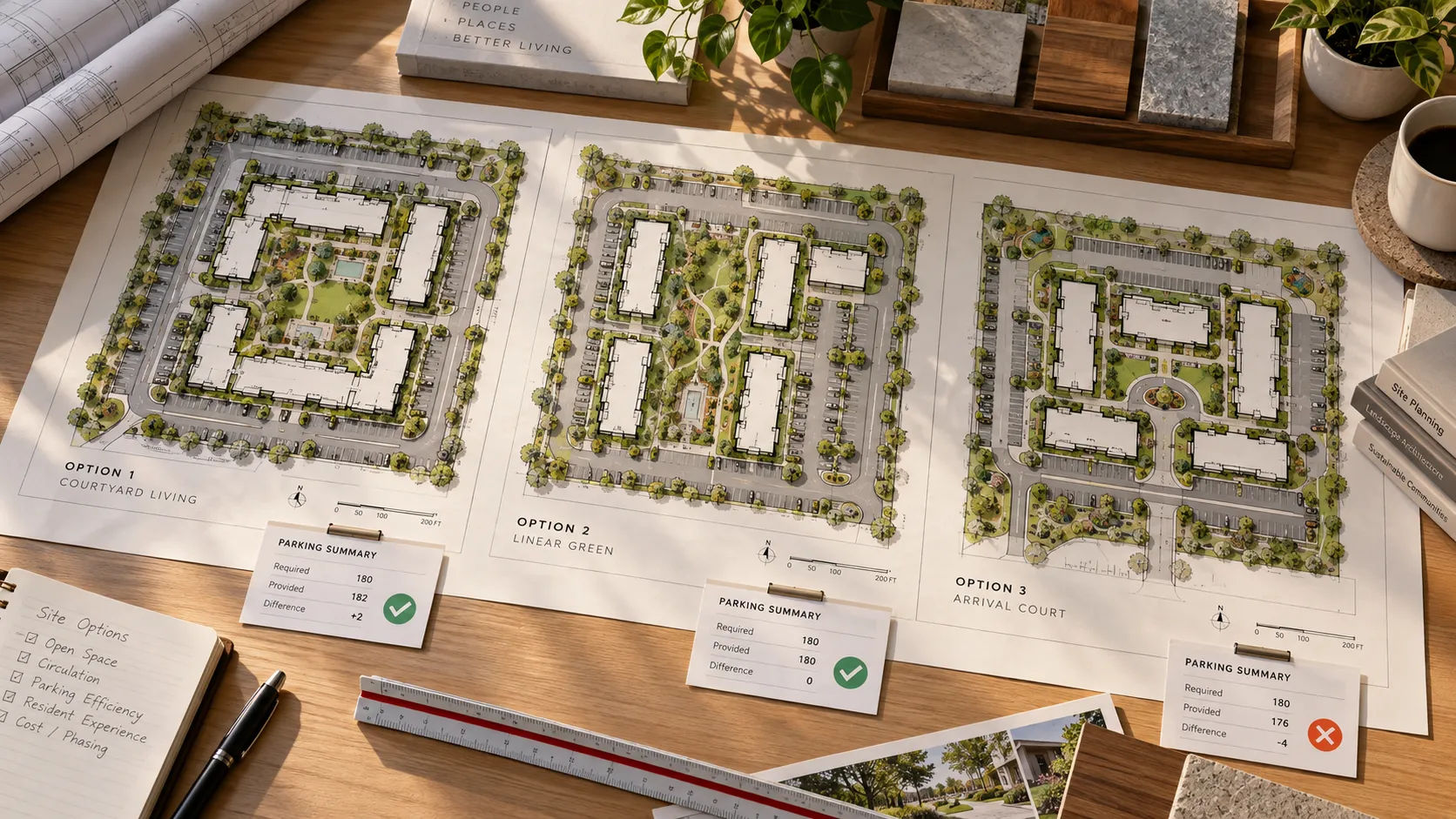
A site plan shows the project on its land: property lines, buildings, drives, parking, grading, drainage and utilities. A parking study is a set of layouts, usually several options, that test how many units and stalls a site can hold.
Civil 3D is Autodesk’s civil design software. Autodesk’s site design page says it can model terrain, design corridors including parking lots, run swept path analysis to evaluate vehicle movement against safety standards, model stormwater and sanitary networks, and report quantities. Skyline’s Civil 3D drafting page lists site development plans, grading and earthwork, utility coordination, drainage documentation, roadway plans and profiles, and Civil 3D production support, with deliverables such as site, paving, grading and drainage plans, storm networks and erosion-control sheets.
The software matters less than the inputs. A parking study is only as good as its survey, its zoning numbers and its assumptions.
What does a site plan need to show?
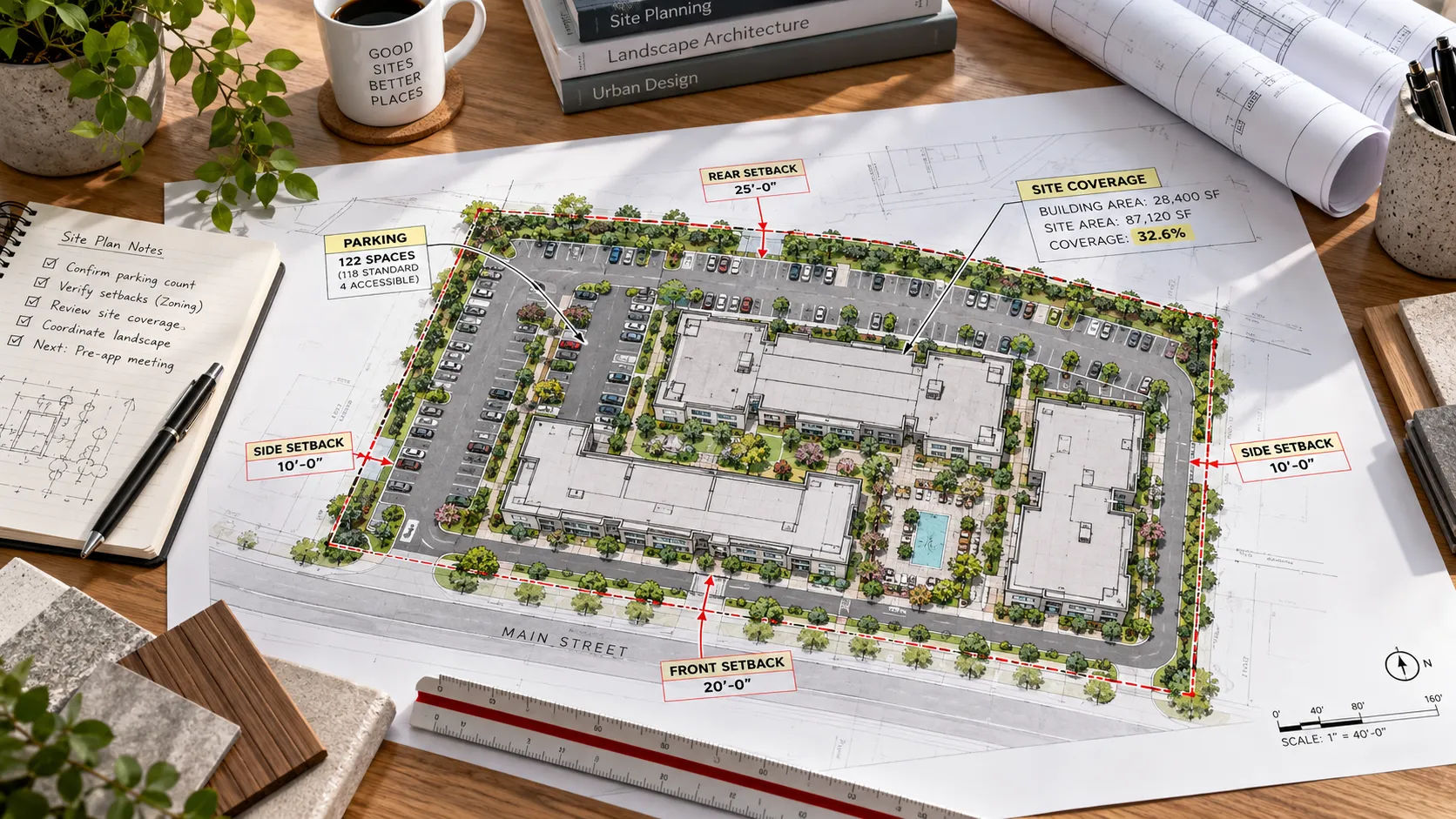
Requirements come from the jurisdiction. As one real example, the City of Bend, Oregon’s commercial submittal checklist asks the site plan to show:
- Property lines, adjacent streets, easements, north arrow, scale and lot area
- Existing and proposed structures, with distances from property lines
- Parking layout, including accessible and van-accessible spaces and accessible routes
- Building surface coverage calculations
- Bike parking and trash enclosure locations
- Paving dimensions and areas
- Landscaping and erosion control
- Wetlands and waterways
- Utilities, including gas, sewer, water, power lines, streetlights and meters
- Finished grade, based on spot elevations and contours
Your jurisdiction’s list will differ. But the pattern holds: the site sheets are a set of counts, distances and elevations that reviewers can check, not a picture.
How are parking counts decided, and how do you check them?
By the local code, and the code may have changed since your last project. A Stateline report from July 2026 says at least 14 states have passed 34 laws since 2019 that reduce or remove parking minimums, and that 116 cities have removed all parking minimums citywide since 2017. The Parking Reform Network’s map is more cautious: of more than 3,000 zoning codes it examined, roughly a fifth eliminated mandates citywide, and the rest limited reform to particular zones.
So do not carry a ratio from the last project. Confirm the current requirement with the architect or the planning office. And know that a lender or the market may want more parking than the code does. That is a business decision, not a drafting one.
What should you send for a site plan or parking study?
- Survey. Boundary, topography and easements, from a licensed surveyor.
- A zoning summary. Setbacks, height, coverage, landscape and parking rules, prepared by the architect or planner.
- The program. Unit mix, building footprints or prototypes, and the target count.
- Utility and stormwater information. What is available at the site and what the jurisdiction requires.
- Jurisdiction civil standards. Stall and aisle dimensions, fire lane and turning requirements, details.
- Your CAD standards. Layers, styles, title blocks and naming. The week-one handoff checklist covers them.
Skyline’s page describes a five-step workflow: scope and standards alignment, Civil 3D model setup, drafting and coordination, QA/QC and redline review, and final packaging. The first step is where these inputs are checked.
What should you ask for back?
- Options, not one answer. Each with unit count, stall count and the assumptions behind them.
- The parking count check for each option, filled in.
- Editable files. Native Civil 3D or DWG, so the next change is not a redraw.
- Grading and drainage sheets with spot elevations, and utility layouts coordinated with buildings and parking.
- Erosion-control sheets and details.
- A list of assumptions and open questions. Anything the drafter had to guess is a question for the engineer.
- Quantities, if you want them. Autodesk says Civil 3D can report them, and it is worth asking whether they are in scope.
For the building side of a multifamily set, see the sheet list by discipline. For how the site sheets fit into a submission, see the permit set guide.
What stays with the engineer and surveyor?
Skyline’s page says it provides drafting and production support and does not independently provide licensed engineering services. Engineers retain design responsibility and sealing. In practice:
- Stays with licensed professionals: stormwater and utility design, grading design, survey certification, zoning interpretation, variances, and the decision about which option to pursue.
- Can go to a drafting partner: producing the layouts and sheets from the inputs above, in your standards, and keeping the counts and dimensions consistent.
Skyline’s homepage talks about optimized parking ratios and unit density. Read that as drafting that supports those goals, not a promise of a result. What the site can hold is set by the code, the land and the design team.
What can go wrong with a site plan or parking study?
The survey is old. Everything built on it inherits the error. Check the date.
The parking ratio is out of date. The rules moved, see above.
The options ignore fire access. A layout that fits stalls but not a fire truck turn is not an option. Autodesk’s swept path analysis exists for this. Someone still has to run it against the local standard.
Unit counts and parking counts drift between options. Every option should carry its own count check.
The study is mistaken for a design. A test fit shows what might work. It is not an approved layout.
Grading and building elevations do not agree. Finished floor elevations belong on both sets.
Send the site and the brief
If you would rather see options than read about them, you can request a scope review: send the survey, your standards, the program and a note on what you would keep in your own office. Skyline drafts site, grading, drainage and utility sheets to your standards in Civil 3D, and leaves engineering design, seals and code determinations with your licensed team. Skyline’s multifamily and build-to-rent page covers the building side, and the outsourcing guide covers what to hand off in general.
Sources
- To promote housing, cities and states target parking minimums, Robbie Sequeira, Stateline via CT Mirror (July 8, 2026)
- Parking Reform Map, Parking Reform Network (no update date shown)
- Civil 3D for Site Design, Autodesk
- BLDG – Commercial Submittal Checklist, City of Bend, Oregon (current version as read on 2026-09-21)
- Skyline Design Group: Civil 3D site and utility drafting, topographic and survey digitization, multifamily and build-to-rent layouts and the homepage. Checked 2026-09-21.