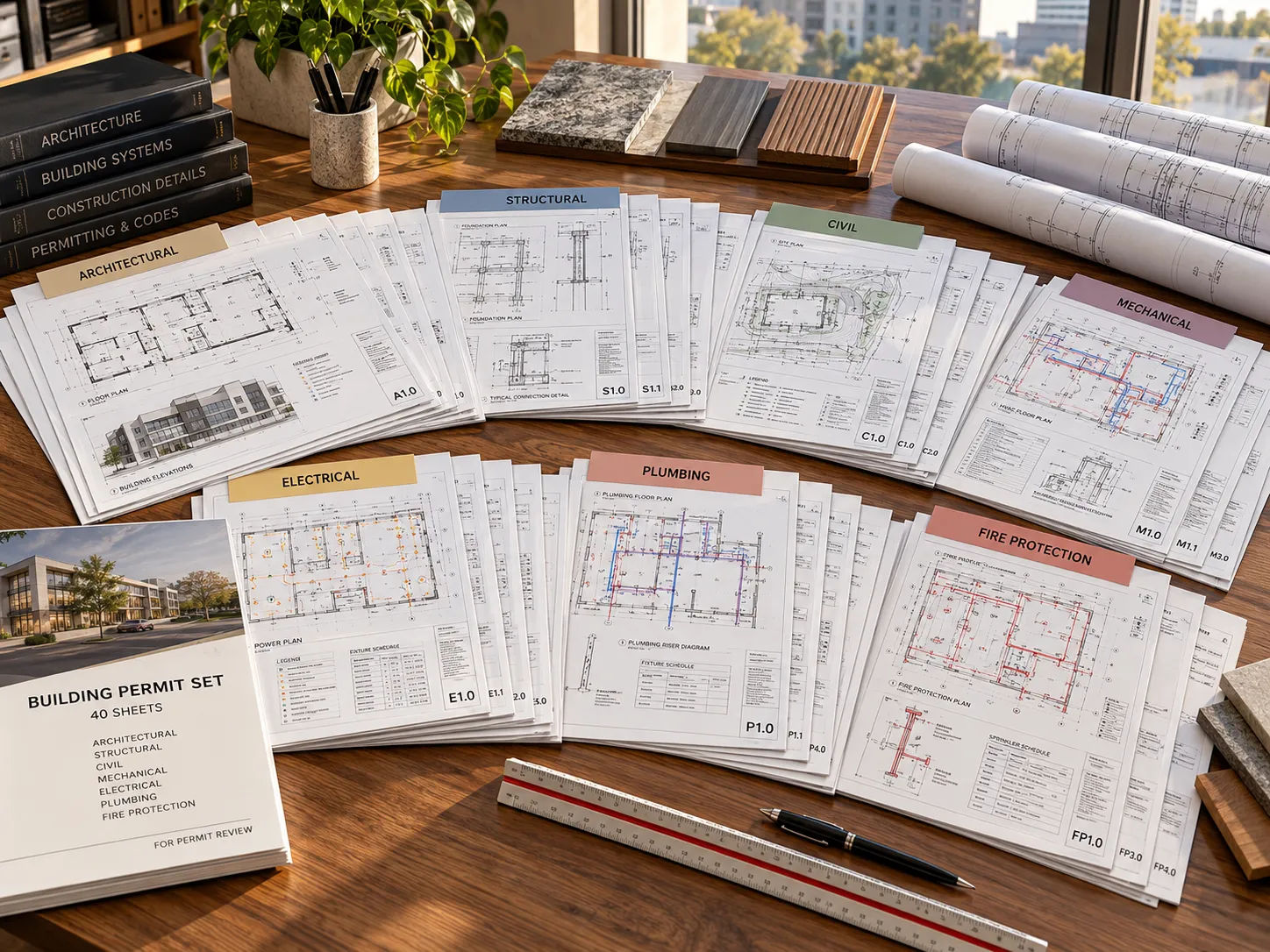
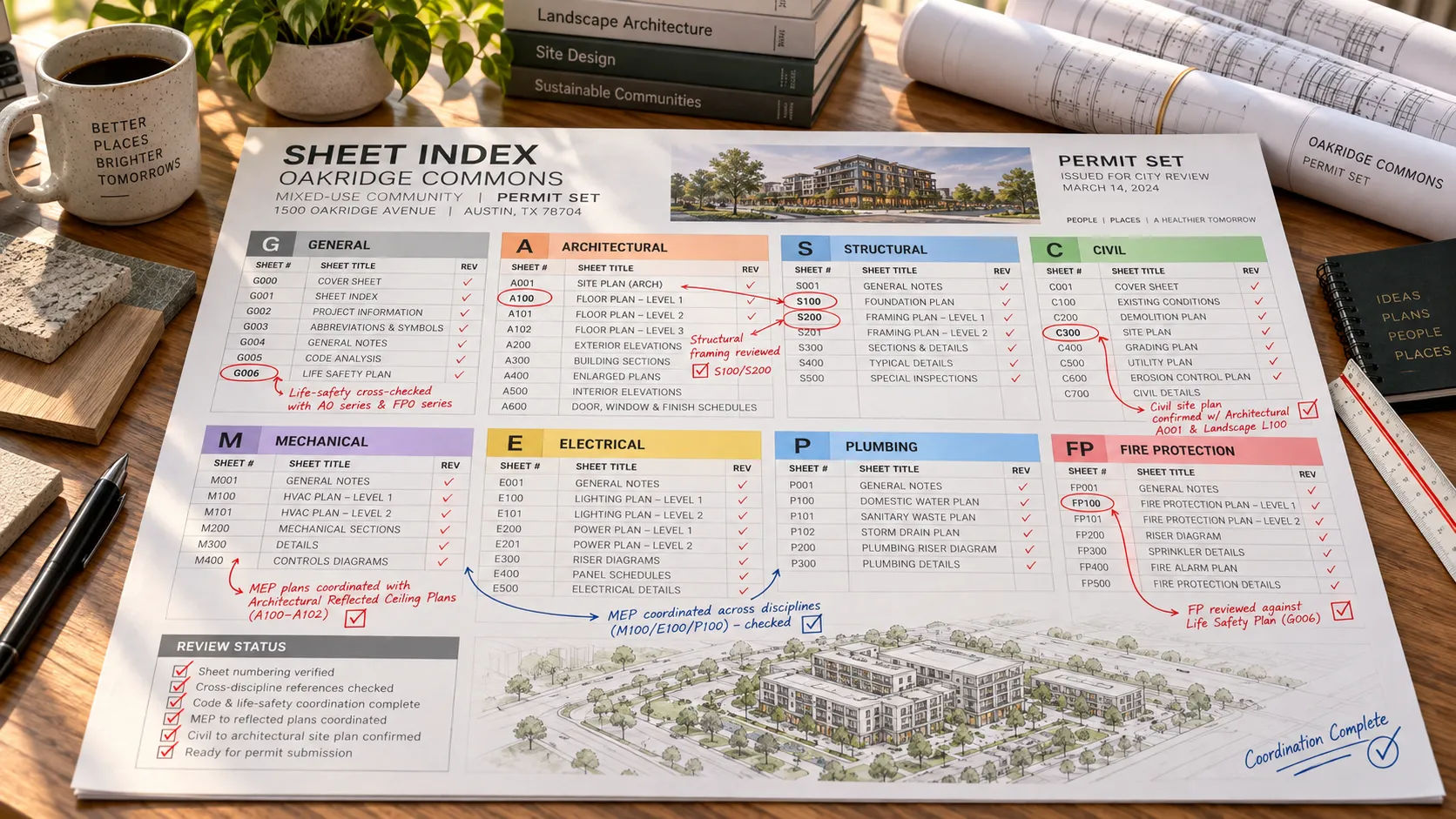
The short answer: a mid-size commercial permit package runs from general and code sheets, through civil, landscape and structural, into the architectural core (plans, elevations, sections, schedules), and out through the building systems. Forty sheets is plausible for modest site work and a few disciplines; scope moves the count up or down.
This page is for architects and developers who want to see how sheet count adds up before a permit submission, not after. It covers an illustrative 40-sheet package by discipline, with a note on what each group answers.
How is a permit package organized?
By discipline, and within each discipline by sheet type, following the pattern described in the multifamily sheet list: general sheets first, then civil, landscape and structural, then the architectural core, then the building systems. MeltPlan, a drafting vendor, frames a permit-ready set the same way from the other end: not a stack of drawings, but eight to twelve specific sheet types arranged in a set submittal order.
The illustrative package below stretches that idea across a larger set, since a real commercial project usually needs more than one sheet per type.
The 40-sheet walkthrough
Example (illustrative). Sheet numbers and counts are invented for a composite mid-size commercial project. Your own set will differ by scope, jurisdiction and discipline count.
| # | Sheets | Group | What the group answers |
|---|---|---|---|
| 1 | G-001 to G-003 (3) | Cover, code data, life safety | Project data, code edition, occupant loads, egress, sheet index. This is what a reviewer checks first; see the checklist rows in permit set drafting. |
| 2 | C-101 to C-301 (5) | Civil: grading, drainage, utilities | Site work: does the project manage stormwater and connect to utilities correctly. |
| 3 | L-101 to L-102 (2) | Landscape | Planting, hardscape and any landscape code requirements. |
| 4 | S-101 to S-401 (6) | Structural: foundation, framing, details | Does the building stand up, and does it match what the architectural sheets show. |
| 5 | A-101 to A-104 (4) | Floor plans by level | Walls, doors, tags, dimensions, rated assemblies. The sheets most cross-checked against everything else. |
| 6 | A-111 | Roof plan | Drainage, equipment, penetrations. |
| 7 | A-201 to A-202 (2) | Exterior elevations | Materials, heights, openings on every side. |
| 8 | A-301 to A-312 (3) | Building and wall sections | Assemblies, floor-to-floor relationships, fire-rated separations. |
| 9 | A-401 to A-402 (2) | Enlarged plans: restrooms, stairs, accessible units | The areas with the most dimensional and code scrutiny. |
| 10 | A-501 to A-503 (3) | Typical details | Repeated conditions, drawn once and referenced across the set. |
| 11 | A-601 to A-603 (3) | Schedules: doors, windows, finishes | Tags and data that must match the floor plans exactly. |
| 12 | P-101 to P-601 (2) | Plumbing plans and schedule | Fixture layout and riser information. |
| 13 | M-101 to M-601 (2) | Mechanical plans and schedule | HVAC layout and equipment schedule. |
| 14 | E-101 to E-601 (2) | Electrical plans and schedule | Power and lighting layout, panel schedule. |
| 15 | FP-101 | Fire protection | Sprinkler and alarm layout, where required. |
| Total: 40 |
Fifteen groups, forty sheets. Most groups exist to answer exactly one reviewer question: is the code data right, does the site drain, does the structure work, do the walls match the schedule, are the systems coordinated. A reviewer working through a checklist, like the ones read for permit set drafting (Bend, Indiana and Morgan Hill’s published checklists), is looking for these groups to be complete and to agree with each other.
Why does the count vary so much between projects?
Four things move it, in general practice.
- Site complexity. More civil, drainage and utility sheets for a difficult site; fewer for a simple, flat, already-serviced lot.
- Building systems. A building with fire protection, complex MEP or process equipment adds sheets beyond the fifteen groups above.
- Number of disciplines. A single-discipline renovation permit might run eight to twelve sheets, close to MeltPlan’s low end. A ground-up commercial building with a full consultant team runs well past forty.
- Jurisdiction requirements. As the permit set drafting guide covers, three real jurisdictions (Bend, Indiana, Morgan Hill) ask for different things on the cover, life-safety and accessibility sheets. More required content usually means more sheets, or denser ones.
What does each group need to agree with?
This is where a package holds together or falls apart.
| Group | Must agree with |
|---|---|
| Code data and life safety | Every occupant load, rating and travel distance referenced anywhere else in the set |
| Floor plans | The door, window and finish schedules, tag for tag |
| Structural | The architectural plans, at every column, wall and opening |
| Civil and landscape | Each other, and the architectural site plan |
| Systems (P, M, E, FP) | The reflected ceiling plan and each other, where routes cross |
A package can have forty complete sheets and still fail review if two of them disagree. The redline to CAD guide covers how cross-sheet conflicts get caught and fixed once markups come back.
What can go wrong in a package this size?
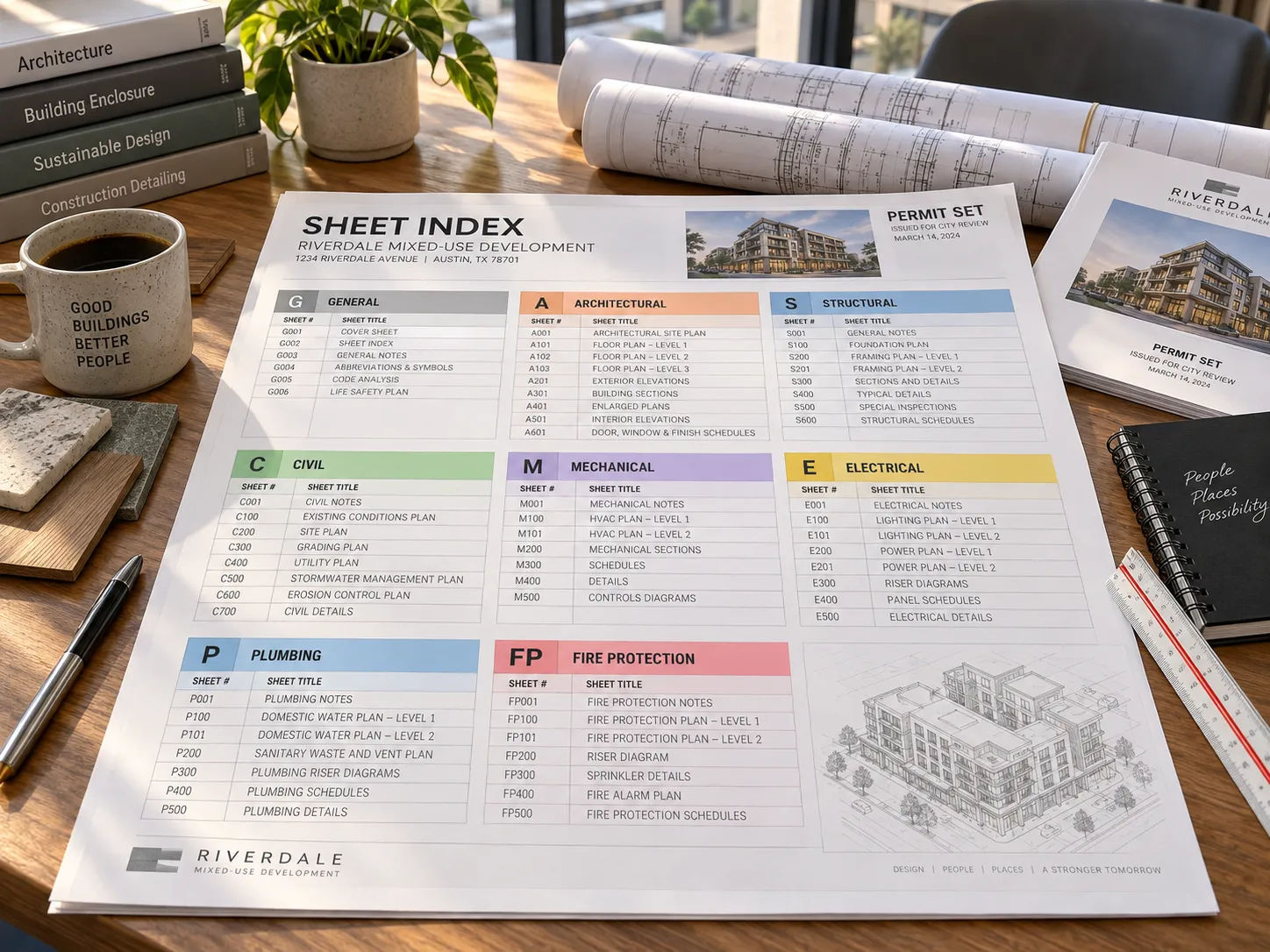
The sheet index goes stale. A sheet added late, or dropped, and the index was not updated. Covered in the multifamily sheet list.
One group is drawn before another is final. Structural framing drawn against an architectural plan that later moved a wall is a common source of late-stage rework.
Schedules drift from plans. A door tag changed on the plan and not in the schedule, or the reverse.
A jurisdiction-specific requirement is missed. Different checklists want different things on the cover and life-safety sheets; see permit set drafting for three real examples.
The package is assembled, not coordinated. Forty sheets from five disciplines is not automatically one coherent set. Someone has to check that it reads as one.
Bring your own sheet list
If you want your own package reviewed against this pattern, you can request a scope review: send one drawing set or your draft sheet index, your standards and a note on what you would keep in your own office. Skyline builds the drawing matrix and coordinates the set to your standards, while code determinations and seals stay with your licensed team.
Sources
- Building Permit Drawing Samples: Annotated Examples of Every Sheet in a Permit Set, Lovekush Gangwar, MeltPlan (August 25, 2026; a drafting vendor)
- BLDG – Commercial Submittal Checklist, City of Bend, Oregon; Checklist for Architectural Submittal, Indiana Department of Homeland Security; New Commercial or Industrial Plan Submittal Checklist, City of Morgan Hill, California (all read for permit set drafting, checked 2026-09-21)
- Uniform Drawing System, Module 1: Sheet Identification, United States National CAD Standard V6, National Institute of Building Sciences
- Skyline Design Group: permit-ready packaging. Checked 2026-09-21.